Sunday, 12 June 2011

OSX: Open With messed up with super long names


Sometime after I installed Photoshop CS5, I notice that after I control-click on a file that Photoshop can open, its all messed up with super long names.

In the screenshot you see I get this for Photoshop CS4. You might ask well why don't I just uninstall PS 4? Well I would, but its part of Creative Studio 4, and I need that for Acrobat and Illustrator. (Oh dear Adobe integrated installer).

The answer is that the applications .plist has too much information.

Two methods to get to the .plist:

1. Find the application, and control-click


and select Package Contents.

2. In the finder, do "command-shift-6" and type (or copy and paste) changing as required

"/Applications/Adobe Photoshop CS4/Adobe Photoshop CS4.app/Contents"

Both of these methods open the correct folder.


You need to open the info.plist, TextWrangler will do, and remove the extra text you see. You should backup the old file first because otherwise Adobe updater will break.

Sunday, 5 June 2011

OSX: suddenly cannot get onto the network / internet

I had a problem where without warning I couldn't get onto the network, internet WiFi, anything. DHCP just wasn't getting an address.

Using my phone to search Google, it seemed the answer was to download the combo updater and run it. Well yeah like I'm going to download a 1Gb file on my phone.

Anyway, turns out that there's a much simpler way: clear your caches

In the finder do shift-apple-g and then type

/Library/Caches

and OK.


When this folder opens, delete EVERYTHING! You might need to supply your password.

Then, same again:

In the finder do shift-apple-g and then type

~/Library/Caches - spot the "~" ?

and OK.


Again, delete EVERYTHING!

and reboot.

Explanation:

If the Macs battery goes completely, the clock gets reset. Even after you reset the clock, the certificates and the firewall get out of sync and suddenly all your applications, including DHCP no longer have network access.

Re-applying the combo updater also resets the firewall, which is why that works.

Wednesday, 1 June 2011

Howto: Using encfs with DropBox on OSX

If you've been following the controversy on DropBox not encrypting files in the manner they claimed, then you might like to encrypt your files on DropBox yourself.


To do this, whats needed is a way to place files into the DropBox folder already encrypted, but access the files unencrypted. Here's how.


First though, a note.


The files you store in this manner will be encrypted and only on a session by session basis will you access them unencrypted. This means that if you lose your password, you lose you data. Simple as. The unencrypted presentation you get with this Howto is only a presentation: your files are shown decrypted, as soon as you log out, shutdown, the unencrypted presentation dies.


  1. Download and install MacFuse (file system in user space)

  2. Download and install encFS for Leopard (works great with Snow Leopard). If this link doesn't work try Google Code - look for "EncFS for Leopard"

  3. run the command "encfs ~/Dropbox/encfs ~/Documents/encfs"


This creates a folder in your Dropbox folder called "encfs" (this is where the encrypted documents will be stored) and a symbolic link in your Documents folder, into which you put the documents you want to be encrypted on DropBox.


The first time you this command you are asked to make a choice:


    Please choose from one of the following options:

    enter "x" for expert configuration mode,

    enter "p" for pre-configured paranoia mode,

    anything else, or an empty line will select standard mode.


p is a good option unless you really know what you're doing.


Some more message and you're good to go. You'll notice that you get a new drive on your desktop - this is the decrypted portion.


Doubleclick to open, and also the encrypted folder in your DropBox folder, and you'll see whats happening. To use, drag your files into this UNENCRYPTED folder / drive! They will be magically copied, encrypted into the 'enfs' folder in your DropBox folder.


One thing I noticed is that files take a bit longer to sync, even comparing to unencrypted files that aren't already in DropBox somewhere.


The mounting of the unencrypted folder doesn't happen automatically when you login, so run this command again.


CAVEAT: If you have any programs that auto-start and expect their data to be in the unencrypted folder, make sure this command is run first, else corruption and data loss may results.


Before the command is run, there is no plain text data available, because encFS and MacFUSE are decrypting the copy thats in your DropBox. If you lose the password, you lose your data. The folder created in your Documents folder will be empty.


If you delete this folder, next time you run the command you'll be prompted to create it.


The directory "/Users/user/Documents/encfs" does not exist. Should it be created? (y,n) y

EncFS Password:


You can repeat this process on any computer that is linked to your DropBox account, and you'll be prompted to (re)create this folder.

Saturday, 28 May 2011

Quicktime crash on OSX

Curiously, after years of working OK, QT 7 Pro on my MacBook Pro running 10.6.7 would not start anymore, doing ay immediate crash. I got a window and in that window the following text:

PlugIn Path: /Library/QuickTime/3DxQuickTime.component/Contents/MacOS/3DxQuickTime
PlugIn Identifier: com.3dconnexion.3DxQuickTime
PlugIn Version: 1.0.3 (1.0.3)

The answer is that you need to remove the following plugin:

/Library/QuickTime/3DxQuickTime.component/Contents/MacOS/3DxQuickTime

drag to your Desktop and you should be good to go

Sunday, 8 May 2011

Howto: Transfer Photos from Android to OSX using Bluetooth

If you use the Gallery app on your Android, you have some handy sharing features such as sending pictures over Bluetooth.

Well, I was trying to push some photos from my Nexus S to my Macbook Pro, and even though they were paired, it was failing. After a few minutes I would get the warning

"Bluetooth audio failed. There was an error connecting to your headset. Make sure it is turned on and in range. The audio portion of the program you were using may have to be restarted"


which was a surprise since I don't have a bluetooth headset.

I tried to re-pair the Nexus and OSX, but no change. After some tests I thought maybe I needed to change bluetooth sharing


and now it works great.

Here's a photo to send


press on the screen to get the menus


press menu


and share


and Send via Bluetooth


choose where its going, and on your Mac accept


then on your Android it copies over


job done!


Thursday, 5 May 2011

Getting Started with Truecrypt and OSX

If you like encryption, and you like OSX, and who doesn't? then you could look at Truecrypt. For a non-cost program its very good.


Firstly download it from www.truecrypt.org/downloads, and then install it.


Then launch the program.


Click Create Volume, and you get the Volume Creation Wizard


You need to understand these options!


"Create an encrypted file container" is very similar to using Disk Utility to create an encrypted disk image.


"Create a volume within a partition / drive" will take a drive or partition, and destroy all the data on it. This is what I do because otherwise I would use Disk Utility.


Choose wisely, then click next.


I create a standard volume because I'm not super paranoid - this is just my photos!. Read about hidden volumes.


Click select device


and click Yes for the get out of jail free dialog - nearly your last chance!


Then you have to select your cyphers. They have different computational loads, so you can benchmark your system to see which is fastest. If you lucky and have an i7 or some i5 MacBooks you might get AES hardware acceleration which speeds encryption 4-8x. No such luck for me.


make your selection


now we move to choosing a password. For anything really sensitive you can also choose Key Files. What that means is that as well as knowing the password, you need the key file as well ie two factor authentication.


large file check


file system selection. If in doubt use FAT, as long as you select 4Gb option.


if in doubt select "mount volume on other platforms"


move you mouse lots and randomly! The movement is used to create seed numbers and you want as random as possible


Then click format


Final chance! If you say yes then your drive is wiped. For a 320Gb on USB it took about 6 hours, which was a lot quicker than PGP.


When its done you need to mount the drive.


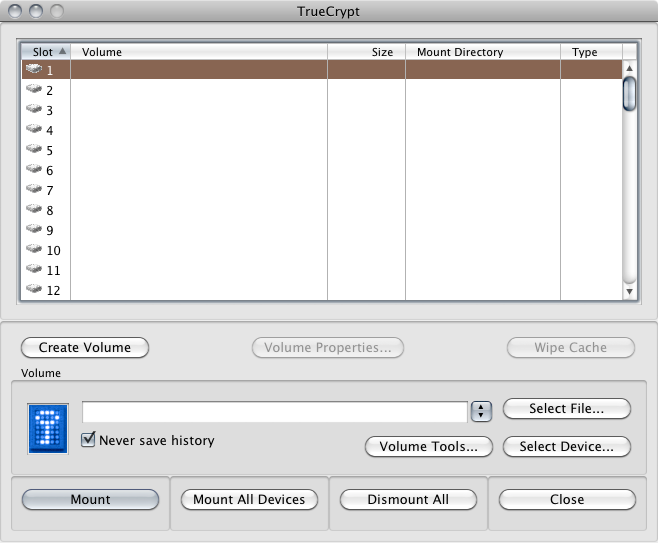
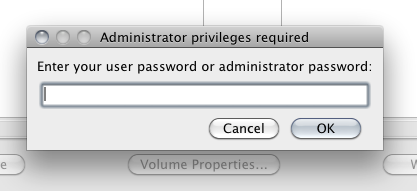
Click "Select Device". You might asked for your password.


USB drives for me show as /dev/rdisk1s1 - check by looking at the size


Then click "mount" and put in your password for the volume


and thats it!. The volume mounts on your desktop, and it then behaves just like a regular drive


When you plug in your drive, you will likely get what looks like a bad warning "The disk you inserted was not readable by this computer". Click "ignore", because OSX cannot read this drive, its encrypted, remember?


Sunday, 1 May 2011

AES-NI in Macbook Pro laptops

If you have a Macbook Pro with a Core i5 or i7 you _may_ have AES-NI, which make AES encryption much faster.


Read about it here en.wikipedia.org/wiki/AES_instruction_set and check for CPU availability here ark.intel.com/MySearch.aspx?AESTech=true.


Not all Core CPUs have AES-NI. Here's Anandtech's page that summarises for 15" MBPs.


Apple 15-inch 2011 MacBook Pro CPU Comparison


2.0GHz quad-core 2.2GHz quad-core 2.3GHz quad-core
Intel Model Core i7-2635QM Intel Core i7-2720QM Intel Core i7-2820QM
Base Clock Speed 2.0GHz 2.2GHz 2.3GHz
Max SC Turbo 2.9GHz 3.3GHz 3.4GHz
Max DC Turbo 2.8GHz 3.2GHz 3.3GHz
Max QC Turbo 2.6GHz 3.0GHz 3.1GHz
L3 Cache 6MB 6MB 8MB
AES-NI No Yes Yes
VT-x Yes Yes Yes
VT-d No Yes Yes
TDP 45W 45W 45W